
If you want to play Resident Evil: Requiem and are lacking either patience or the strength to face its horrors in a relatively weakened state, then this save file will do the trick.
I get it, the world is scary enough, so why would you punish yourself by going through the terrors of zombies, mutants, and more over and over again without having everything available from the start in Resident Evil: Requiem?
Or maybe you’ve played the game once, want to unlock all the goodies, but cannot invest the time into getting them all. No shame here, time is precious, after all.
There are plenty of mods that tweak the experience to suit your needs, but if you don’t want to faff around with all that, then a save file with everything done to 100% covers a few bases nicely.
On Nexus Mods, modsgamer77x has just the ticket for you with a save file that instantly unlocks all weapons and extra content, as well as maximum resources and items. Maybe you’re feeling brave now and want to try the highest difficulty? That’s unlocked too.
Let’s get into how you load this save file in your Requiem.
Resident Evil: Requiem 100% Save File Instructions
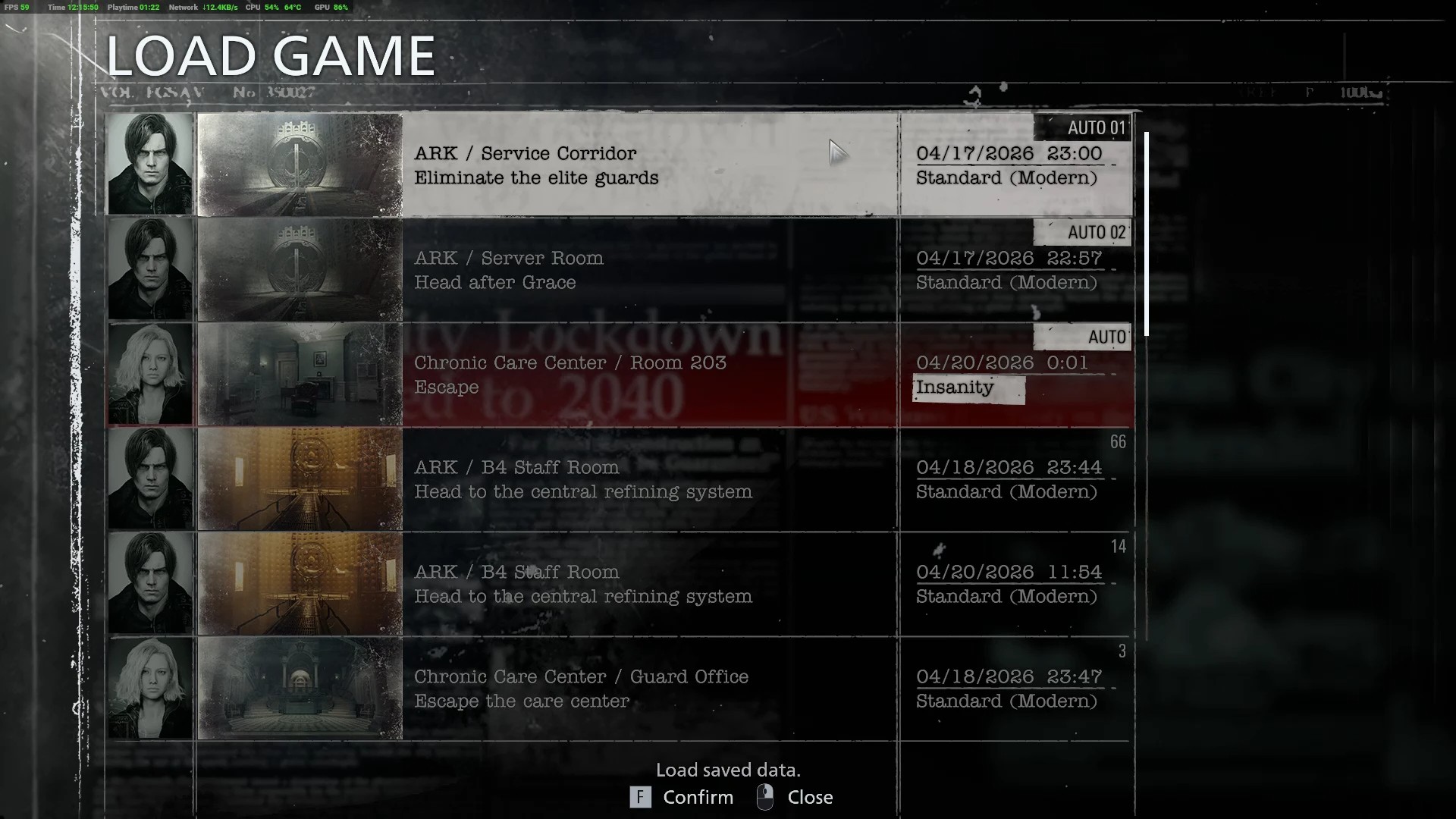
Installation:
You need the MandarinJuice Application for editing the Steam ID.
How To Download
-
Download the Save Files
-
Download the MandarinJuice
-
Download this [ _profiles.zip ] too and transfer the RE9 - REQUIEM profile into the “_profile” folder that will be created when you extract MandarinJuice.
-
Start the MandarinJuice Application
-
In the User ID (INPUT) write 1853641940
-
Set the Game Profile to Resident Evil 9 Requiem
-
In the User ID (OUTPUT) write your SteamID xxxxxxxx
-
After that Press Re-Sign All
-
MandarinJuice will create a folder called _OUTPUT where your reassigned saves will be.
Installation
Program Files (x86)\Steam\userdata\
Important:
-
Make sure your game version matches the save version.
-
Disable Steam Cloud if needed before replacing saves.
-
Always keep a backup of your original progress.
For Resident Evil: Requiem mods, check out our page collecting the best of them (alongside some fun ones)
For the latest gaming news, follow GameWatcher on BlueSky, check out our videos on YouTube. We sometimes include affiliate links in our posts, which grants us a small commission, thank you. Please support independent Games Media. ❤️